|
changing the font sze in icolourPicker |

Hi, I would like to change the font size of the 'Checkout' button at the top of my homepage but I am having difficulty trying to do this with the icolorpicker. Does the icolorPicker come with a guide on how to use it?
Hello Natalye,
Yes, we have a special blogpost devoted to iColorPicker. It is titled Editing CSS Selectors with iColorPicker. You may find it here: http://isenselabs.com/posts/editing-css-selectors-with-icolorpicker
Hope this helps!
Hello Mihail,
Thank you for the link, but I didn't find it helpful. It doesn't show me how to successfully change the size of my font on the store front but to just change the colour which I already know how to do.
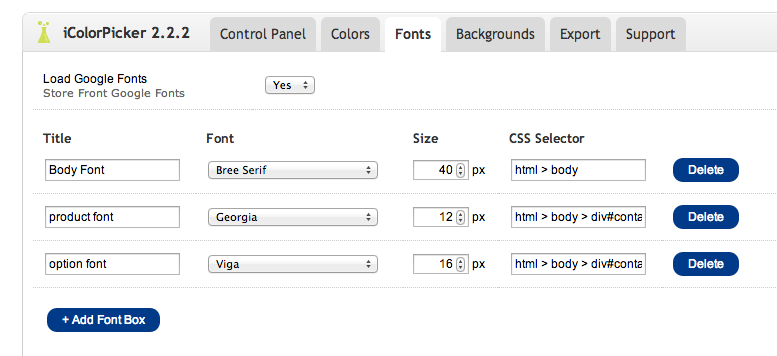
You can change the font size of a certain element from the Fonts Tab in the admin panel of iCustomFooter. Type the CSS selector of the element, choose the font that you desire and set the proper font-size. See the image below.